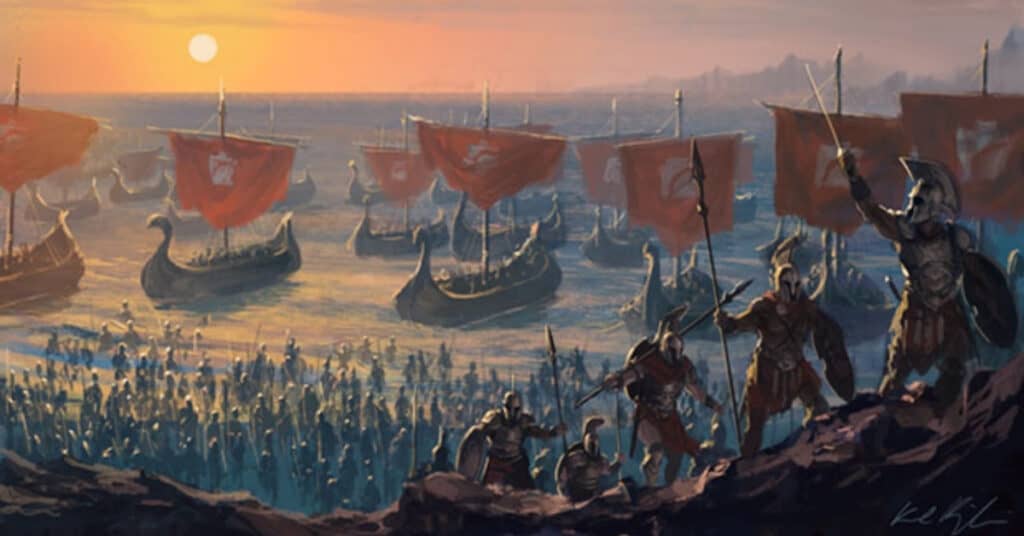


CharGen is an AI art generator designed to take the hassle out of creating custom visuals for RPG campaigns. Whether you’re a player visualizing your next hero or a game master scrambling to create NPCs for a session, this RPG image generator provides powerful tools to produce stunning artwork quickly and efficiently. In this guide, I’ll walk you through how to use CharGen’s features step-by-step, from generating characters to fine-tuning edits.
Character Art Generation
CharGen’s character generation tools are designed to give players and GMs maximum flexibility. Whether you’re looking for quick concepts or detailed designs, this RPG character generator offers a variety of options for fantasy image generation.
Using Prompts for Quick Art
If you need a fast solution, start with a simple text prompt. This method allows you to quickly produce high-quality art with minimal input. Here’s how you can use this D&D image generator:
- Go to the Generate Page.
- Select Quick Generate

- Enter a concise description of your character, like:
- “Half-orc warrior with a greatsword, standing on a battlefield.”
- “Gnome tinkerer with goggles and a mechanical arm.”
- You can choose Enhance Prompt to let CharGen’s AI add detail to your prompt as necessary
5. You’ll also find a few options for customization. Choose from art styles like Painterly or Anime, adjust the image size, and select the number of variations you’d like. For the best results, keep your descriptions specific but not overly wordy.
6. Once everything’s set, hit “Generate Image” and let the AI work its magic.

This process is where the platform shines as an RPG art generator, allowing you to quickly visualize a character concept without needing to sketch or design manually.
Now, here’s the thing: the AI isn’t a mind reader (despite how it feels sometimes). If the result doesn’t look quite right, don’t panic. Refine your prompt by tweaking the wording or simplifying the details. For instance, if “leather armor” gives you something weirdly modern, try “medieval leather armor.”
Uploading a D&D Beyond Character Sheet
For players with fully developed characters, CharGen lets you upload your character sheet for a tailored result. This feature enhances its role as a D&D image generator, ensuring your visual matches the stats and traits you’ve already crafted in-game.
- Download your character sheet as a PDF from D&D Beyond. (There’s a handy guide available by pressing the Help button next to the PDF upload.

- Click “Upload Character Sheet” on the Generate Page.

- Select your file, and the AI art generator will extract details like race, class, and equipment.
- Make any adjustments to the art style or the theme, or just add extra additional information like poses, hats, or any other details.
- Click “Generate Image”, and wait for the AI to create your character.
Note: You don’t need to use D&D Beyond, any Character Sheet PDF will do, you can even scan in a hand-written character sheet and upload it as a PDF to CharGen.
Pro Tip: The system struggles a bit with overly custom builds or homebrew options. If it’s not recognising certain elements, you might need to add those details manually in the prompt.

Adding Reference Images
Sometimes you have a specific pose or costume in mind that’s hard to describe in words when using the RPG Image Generator. Maybe you’ve designed a HeroForge miniature or sketched out a rough concept—either works.
- After entering a prompt or uploading a character sheet, click “Upload Reference”.
- Select your reference file, and the AI will incorporate it into the final design. While the output won’t be an exact replica of your reference, it’ll get pretty close.
- Generate the image with the reference integrated for greater accuracy.
CharGen’s versatility as an RPG image generator makes it a go-to tool for users who need precision in their creations.
One caveat: the AI interprets your reference rather than copying it directly. So, if you upload a stick figure and expect a masterpiece, don’t say I didn’t warn you.

Choosing an AI Model
CharGen supports several AI models, each suited to different aesthetics. Personally, I default to Flux for its versatility, but there are over 20 different models to choose from suited for different tasks such as Anime, Realism, Comic-Book Style, and Painterly styles, with more added constantly!
This feature makes CharGen more than just a D&D image generator; it’s a full-fledged creative suite for exploring different artistic styles.
Choosing the right AI model can make a big difference. If you’re familiar with a particular style, such as anime, you can select the corresponding model upfront to streamline the process. However, it’s worth experimenting—sometimes Flux surprises you with results that feel more “realistic,” while Anime gives your characters a bold, energetic flair.

NPC Generator
CharGen’s NPC Generator is a godsend for game masters looking to populate their campaigns with unique, visually distinct characters.
Creating NPCs with Dropdown Menus
Unlike the free-form text prompts in the character generator, the NPC Generator uses dropdown menus to streamline the process:
1. Select “NPCs” on the Generate Page.
2. Use the dropdowns to specify traits such as:
2.1. Race (e.g., dwarf, elf, human, aasimar).
2.2. Class (e.g., artificer, bard, cleric).
2.3. Occupation (eg. Blacksmith, Shopkeeper, Thief)
2.4. Gender or leave it neutral.
3. Add optional descriptive text, like “gruff dwarven blacksmith with a soot-streaked apron.”
4. Pick an AI model and art style, then generate the NPC.

Edit Functionality: Fine-Tuning Your Creations
CharGen doesn’t just stop at generating art; it also offers a variety of editing tools to refine and customize your images further. These features are especially useful when you want to tweak specific aspects of a generated image or repurpose it for different formats. Here’s an overview of what’s available:
- Face Swapping: Replace a character’s face to adjust expressions or refine features while keeping the rest of the image intact.
- Selective Edit: Modify specific parts of an image, such as changing armor details or adjusting a weapon, without altering the entire composition.
- Background Removal: Easily extract characters from their backgrounds to create tokens, overlays, or transparent images for use in virtual tabletops.
- Upscaling: Enhance the resolution of your image for printing or larger displays, with support for generating up to 4K quality.
- Subject Transformation: Adapt your character to a new setting or pose—place them on a snowy battlefield, lounging on a throne, or even sitting on a modern sofa.
These editing tools make CharGen more than just an image generator—it’s a complete creative suite for fine-tuning your RPG art. Most of these features are accessible to all users, though subscribers unlock additional options for advanced customisation.

Wrapping It Up
CharGen brings creativity and flexibility to the table, offering tools for both quick character concepts and detailed edits. As a top-tier RPG image generator, it caters to players and game masters alike, simplifying the process of creating immersive visuals for campaigns.
From quick character sketches to detailed NPC designs, the platform makes it easy to create professional-looking artwork without needing artistic skills.
If you’re ready to get started, head over to the Generate Page and give it a try.
Sign up for an account using the following link and get 100 free gold (Equal to 100 free image generations). Additionally, get another 250 gold for free for any qualifying purchase!
What is Gold?
Gold is CharGen’s in-platform currency. Different AI models, editing tools, and advanced features—like video generation and upcoming music generation—have varying gold costs. This is mostly down to the processing requirements, so heavier tasks will naturally cost more. The idea is that you only spend gold on what you actually need rather than locking everything behind one big fee or having complicated payment mechanics.
Now, gold isn’t just a paid feature—you can earn it for free as well. Logging in daily, participating in community discussions, and submitting your art to competitions are all ways to earn gold without spending a penny. If you want a more predictable option, there’s the subscription model, which gives you a set amount of gold each month. The nice thing is that any unused gold rolls over, so you’re not stuck in a “use it or lose it” situation.
For anyone who isn’t into subscriptions, there are one-off gold purchase packages. These are handy for when you want to test out specific features or just need a quick top-up. The system’s designed to be flexible, whether you’re an occasional user or someone who’s in here every day generating and editing.

- About the Author
- Latest Posts

Dan started playing D&D back in Middle School and has played a variety of TTRPGs including an adventure as a Tyranid Hive Master. He is passionate about building BCR into an engaging and helpful community of DnD players. Let’s roll!